
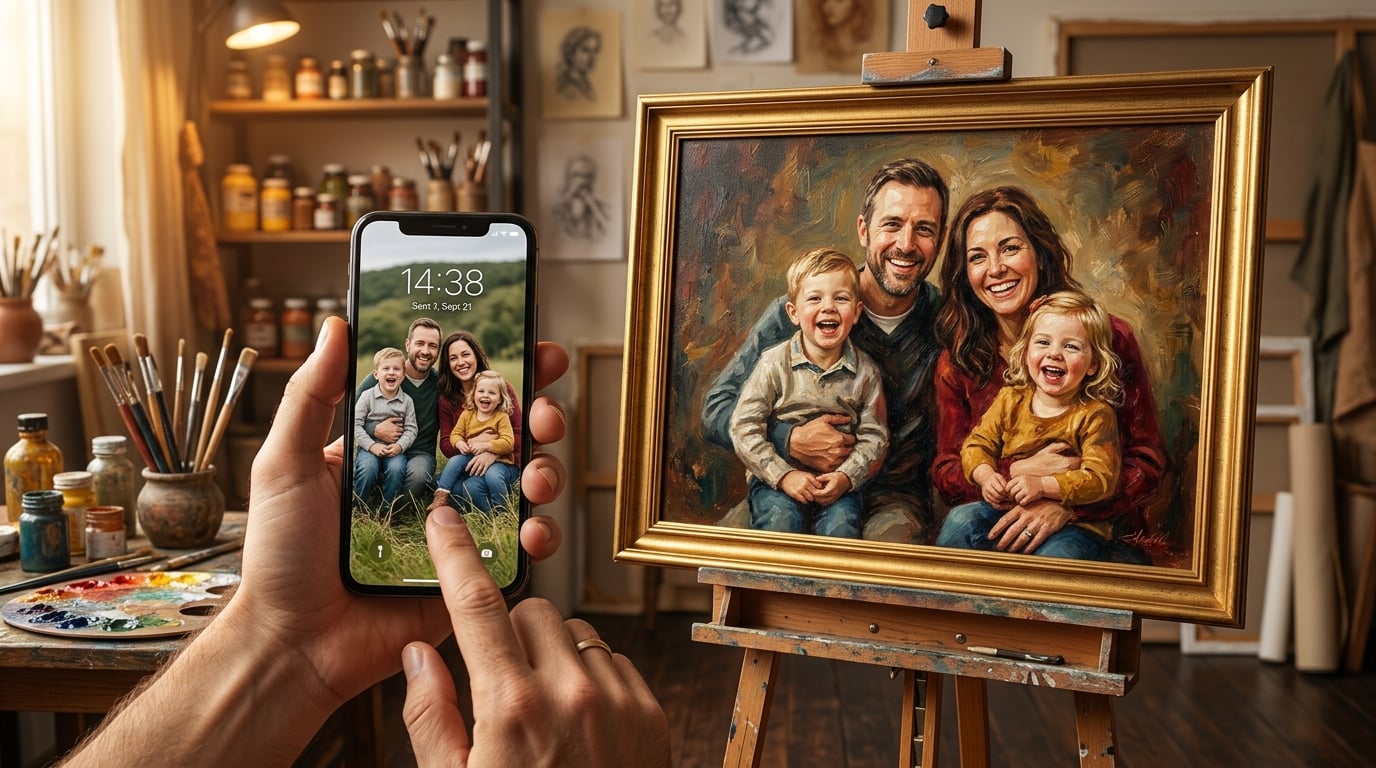
Custom Portrait Painting from a Phone Photo: Tips for the Best Results
Wondering if your smartphone photo is good enough for a custom portrait painting? Learn exactly what artists need and how to get a gallery-worthy painting from any phone camera.
Your Phone Photo Is Probably Better Than You Think
Here is a question we hear every single day: "Is this phone photo good enough for a portrait painting?"
The answer, in the vast majority of cases, is yes.
Modern smartphones capture stunning detail — far more than most people realise. The camera on your iPhone, Samsung Galaxy, or Google Pixel shoots at 12 to 200 megapixels, with advanced computational photography that balances lighting and sharpness automatically. That casual snapshot you took at a birthday party, a family barbecue, or a quiet afternoon in the garden almost certainly contains enough information for a skilled artist to create a breathtaking custom portrait.
At PaintedForU, more than 90 percent of our commissions begin with a phone photo. Not a professional studio session. Not a DSLR. A phone photo, taken in a real moment, with real emotion.
This guide explains exactly what our artists look for in a reference photo, how to choose the best image from your camera roll, and simple tricks to capture a portrait-ready photo on your next try.
What Makes a Good Reference Photo?
Before we get into phone-specific tips, let us look at what any portrait artist needs from a reference image — regardless of the camera that captured it.
1. A Clear, Well-Lit Face
The face is the heart of every portrait. Our artists need to see:
- Eye detail — the colour, shape, and direction of the gaze
- Skin tone — natural colour without heavy shadows or colour casts
- Expression — the subtle curve of a smile, the warmth in the eyes, the character in the face
2. Adequate Resolution
For a standard portrait, we need the face to occupy at least a small portion of the overall frame with enough pixel density to see features clearly. Any phone photo taken in the last eight years will comfortably meet this requirement, as long as the image has not been heavily cropped or compressed.
3. A Natural Moment
The best portraits do not come from stiff, posed photos. They come from genuine moments — a laugh, a glance, a quiet expression of contentment. Phone photos excel here precisely because they are taken in real life, not in a studio.
How to Choose the Best Photo from Your Camera Roll
You probably have hundreds or thousands of photos on your phone right now. Here is how to identify the best candidate for a portrait painting.
Look for Natural Light
Photos taken outdoors or near a window almost always outperform those taken under artificial lighting. Natural light reveals true skin tones and creates soft, flattering shadows that give a face depth and dimension.
Best scenarios:
- Outdoor shade (under a tree, on a porch)
- Next to a large window with indirect sunlight
- Overcast days — nature's own softbox
- Direct flash (creates harsh, flat lighting)
- Dim indoor scenes (introduces grain and colour noise)
- Strong backlighting (turns the face into a silhouette)
Check the Eyes
Zoom into the photo and look at the eyes. Can you see the colour of the iris? Can you see a catchlight — that small white reflection that makes eyes look alive? If yes, the photo is likely excellent reference material.
If the eyes are in shadow, squinting, or out of focus, consider choosing a different image.
Evaluate the Expression
Remember, this painting will hang on a wall for decades. Choose an expression that captures the person's true personality. A relaxed, genuine smile will always make a more compelling portrait than a stiff, camera-aware pose.
Check Sharpness
Open the photo and pinch to zoom on the face. Is it sharp, or is there visible motion blur? A small amount of softness is fine — our artists can work with it — but if the face is noticeably blurry, look for a better shot.
Phone Photography Tips for Better Portrait References
If you want to take a new photo specifically for a portrait commission, these simple techniques will dramatically improve your results.
Use Portrait Mode — But Send the Original Too
Most modern smartphones have a portrait mode that blurs the background and keeps the subject sharp. This can produce beautiful photos, but the artificial blur sometimes clips ears, hair, or shoulders in unnatural ways.
Our recommendation: take photos in both regular and portrait mode, and submit both. The artist can use the portrait-mode image for composition reference and the regular image for edge detail.
Get Close (But Not Too Close)
Fill the frame with your subject, but leave some breathing room. A head-and-shoulders composition works perfectly for most portraits. Getting too close can introduce lens distortion that stretches the nose or narrows the face.
A good rule: stand about 1.5 to 2 metres (5 to 7 feet) away and use a gentle zoom rather than stepping closer. This produces more flattering proportions.
Shoot at Eye Level
Holding the phone at the subject's eye level creates the most natural, engaging perspective. Photos taken from above make the forehead appear oversized. Photos from below emphasise the chin and nostrils.
Avoid Digital Zoom
Digital zoom on a phone simply crops the image, reducing resolution. If you need to get closer, physically move closer. Optical zoom (available on phones with telephoto lenses) is fine.
Turn Off the Flash
The phone's built-in flash fires a harsh, direct burst of light that flattens features, creates unflattering shadows behind the subject, and washes out skin tones. Turn it off and move to a brighter location instead.
Take Multiple Shots
Do not rely on a single frame. Take 10 or 20 photos in a row. Different micro-expressions, slight shifts in angle, and natural blink timing mean that one of those frames will be significantly better than the rest.
What About Older Phone Photos?
Older smartphones captured lower resolution images, but that does not mean they are unusable. We have painted stunning portraits from photos taken on an iPhone 4, a Samsung Galaxy S3, and even a BlackBerry. The key is that the face is visible and reasonably sharp.
Here is a practical guide:
| Phone Era | Typical Resolution | Usability for Portraits |
| 2010–2013 | 3–8 MP | Good for small to medium canvases |
| 2014–2017 | 8–12 MP | Excellent for all canvas sizes |
| 2018–present | 12–200 MP | More than sufficient for any size |
Common Phone Photo Mistakes (and How We Handle Them)
The Photo Is Dark
Our artists can work with underexposed images because digital files contain more shadow detail than the screen displays. We brighten the reference digitally before painting begins. However, extremely dark photos with heavy grain may lose facial detail.
The Background Is Messy
Backgrounds do not matter at all. Our artists paint whatever background you request — a plain studio backdrop, a scenic landscape, or a colour that matches your decor. The reference photo background is irrelevant.
Multiple People Are in the Frame
Simply tell us which person to paint. If you want a portrait of just one person from a group photo, we will isolate them. This is one of the most common scenarios we work with.
The Photo Has a Filter
Instagram filters, Snapchat effects, and phone beauty modes alter skin tones and can remove natural detail. If you have the unfiltered original, always submit that. If a filtered version is all that exists, send it — our artists are experienced at interpreting filtered images.
Sending Your Photo to PaintedForU
When you are ready to order, here is the best way to submit your phone photo:
- Find the original file in your camera roll — not a screenshot, not a download from social media
- Do not edit the photo — no cropping, no filters, no brightness adjustments
- Upload directly through our order page at Upload Your Photo
- Include additional reference photos if you have them — different angles, different lighting, or other photos of the same person help enormously
- Add custom instructions describing anything specific you want — background colour, clothing changes, or any artistic preferences
Real Examples: Phone Photo to Finished Portrait
Every week, we transform casual phone snapshots into heirloom-quality paintings. Here are the kinds of transformations our customers love most:
- A candid wedding reception photo taken on an iPhone becomes a dramatic oil painting with a softened romantic background
- A backyard selfie with a dog becomes a warm, richly textured portrait of owner and pet together
- A grainy photo from a grandparent's 80th birthday becomes a detailed, vivid painting that the whole family treasures
- A blurry toddler photo is cross-referenced with other snapshots to create a clear, joyful portrait
Why Phone Photos Often Make Better Portraits Than Studio Photos
This might surprise you, but our artists frequently prefer phone photos over professional studio shots. Here is why:
- Authentic expressions — studio photos often capture a polished, posed look. Phone photos capture the real person.
- Natural settings — the warmth of a family kitchen, the light of a summer garden, the energy of a holiday gathering. These environments create more interesting and personal compositions.
- Emotional context — a phone photo taken in a genuine moment carries an emotional truth that comes through in the finished painting.
Ready to Turn Your Phone Photo into a Painting?
That photo sitting in your camera roll — the one that makes you smile every time you scroll past it — deserves to be more than pixels on a screen. It deserves to be a painting on your wall.
Upload your photo today and see what our artists can create. Every PaintedForU portrait includes a digital preview with unlimited revisions, free worldwide shipping, and a 100% satisfaction guarantee.Your phone already captured the moment. Let us turn it into a masterpiece.
Frequently Asked Questions
Can you really paint a portrait from a phone photo?
Yes. The vast majority of custom portrait commissions at PaintedForU start with a smartphone photo. Modern phone cameras capture more than enough detail for our artists to create a beautiful, gallery-quality painting. We have painted thousands of portraits from iPhone, Samsung, and Pixel photos.
What resolution does my phone photo need to be?
Any photo taken on a smartphone made after 2016 will generally have sufficient resolution. A minimum of 1–2 megapixels is needed for the face area, and most modern phones shoot at 12 megapixels or higher. Avoid photos that have been heavily cropped or compressed through messaging apps — send the original file from your camera roll.
Is natural light really that important?
Natural light makes the biggest difference in photo quality. It reveals true skin tones, subtle shadows, and fine details like eye colour. Harsh flash or dim indoor lighting can flatten features and introduce colour casts that make the artist's job harder. Even a quick photo near a window dramatically improves results.
Can you fix a blurry phone photo for the portrait?
Our artists can work with mild softness or motion blur in a reference photo, but they cannot invent details that are not there. If the face is noticeably blurry, we recommend submitting additional reference photos from a different moment so the artist can cross-reference features.
Should I edit or filter my photo before submitting it?
No. Please submit the original, unedited photo straight from your camera roll. Filters, heavy retouching, and AI enhancements can remove subtle details that our artists rely on — like natural shadows, hair texture, and skin tones. If you have both an edited and an original version, always send the original.
What if my only photo is a screenshot or a social media image?
Screenshots and social media downloads are heavily compressed, which reduces detail. They can still work for a painting, but results will be better with an original file. If a screenshot is all you have, send it along with any other photos of the same person for additional reference.
Marcus Rivera
Lead Portrait Artist
Marcus is PaintForU's lead portrait artist and studio director. With a Fine Arts degree from the Royal Academy, he brings deep knowledge of oil painting techniques to every guide he writes.
Ready to Create Your Portrait?
Free worldwide shipping, unlimited revisions, and 100% satisfaction guaranteed.
Start Your Portrait

